August 30, 2026·2 min read
Keeping a Mac awake while agents work
I had Amphetamine set to allow closed-display mode for a 24-hour session. The Mac still went to sleep when I closed the lid.
The power log settled it:
| When | Power | Result |
|---|---|---|
| Aug 11 12:14 | Battery, 71% | Slept |
| Aug 14 12:18 | AC, 37% | Stayed up in DarkWake |
| Aug 16 04:47 | Battery, 74% | Slept |
| Aug 16 20:10 | Battery, 77% | Slept |
| Aug 17 16:17 | Battery, 76% | Slept |
Five for five. Restarting the Amphetamine session had seemed to fix it because I often plugged the charger in at the same time. The charger was doing the work.
#The switch that survives battery power
Apple documents the limit in man caffeinate: -s creates PreventSystemSleep, and that assertion is valid only on AC power. Amphetamine is a sandboxed App Store app. It cannot run the root command that changes this behaviour on battery.
The command is undocumented:
sudo pmset -a disablesleep 1I verified it by hand, then built agentawake around it.
Two root LaunchDaemons run. One checks for active agents every 30 seconds. The other stays attached to pmset -g pslog so unplugging the cable is handled immediately.
It tracks work, not open windows:
- Claude Code through the
caffeinatechild it creates during a turn. - Codex through its
Codex is running an active turnpower assertion. - Oh My Pi through its
Oh My Pi agent sessionpower assertion.
Sleep stays disabled for ten minutes after the last turn. On battery, normal sleep returns below 20%. It can resume at 25%, which stops the setting from flipping around one battery percentage.
The Mac is still fully awake with the lid shut. It drains and gets warm. The battery floor bounds that, but it does not make the private macOS setting safe or supported.
#Pager handles the visible part
The daemon can run silently, but I wanted to know when the cable came out, the battery floor tripped, or pmset refused the change. It uses Pager when Pager is installed.
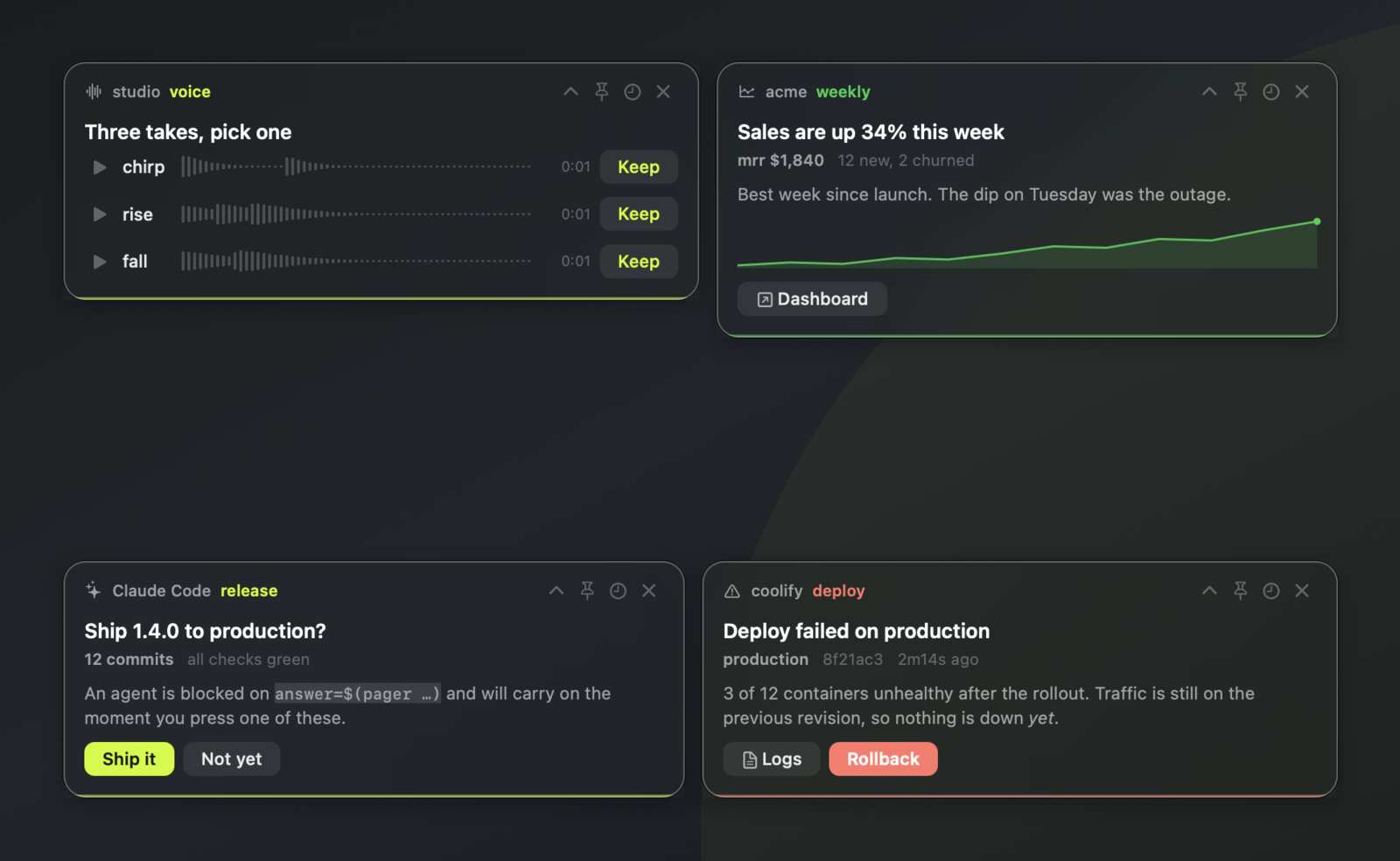
Pager is another small macOS tool I built. Anything that can run a shell command can raise a native panel with text, charts, media, sounds, and action buttons. A button can run a command and return the answer on stdout. The panel never steals keyboard focus.
agentawake starts Pager as the logged-in user, never as root. If Pager is absent, sleep control keeps working and state changes go to /var/log/agentawake.log.
Both are public: